



Design System

Desktop Typography
Font Family : Inter
Aa Bb Cc Dd Ee Ff Gg Hh Ii Jj Kk Ll
Mm Nn Oo Pp Qq Rr Ss Tt Uu Vv Ww Xx Yy Zz 0 1 2 3 4 5 6 7 8 9
Aa Bb Cc Dd Ee Ff Gg Hh Ii Jj Kk Ll
Mm Nn Oo Pp Qq Rr Ss Tt Uu Vv Ww Xx Yy Zz 0 1 2 3 4 5 6 7 8 9
H1
H2
Font Size: 32px; Font-Weight: 700/Bold; Letter Spacing: 0em; Line-Height: 1.2
H3
Font Size: 24px; Font-Weight: 700/Bold; Letter Spacing: 0em; Line-Height: 1.2
H4
Font Size: 18px; Font-Weight: 700/Bold; Letter Spacing: 0em; Line-Height: 1.2
Text Body
Font Size: 17px; Font-Weight: 400/Regular; Letter Spacing: 0.02em; Line-Height: 1.5
Button Text
Font Size: 14px; Font-Weight: 700/Bold; Letter Spacing: 0.02em; Line-Height: 1.5
Mobile Typography
Font Family : Inter
H1
Font Size: 36px; Font-Weight: 700/Bold; Letter Spacing: 0em; Line-Height: 1
H2
Font Size: 24px; Font-Weight: 700/Bold; Letter Spacing: 0em; Line-Height: 1.1
H3
Font Size: 20px; Font-Weight: 700/Bold; Letter Spacing: 0em; Line-Height: 1.2
H4
Font Size: 17px; Font-Weight: 700/Bold; Letter Spacing: 0em; Line-Height: 1.2
Text Body
Font Size: 14px; Font-Weight: 400/Regular; Letter Spacing: 0.02em; Line-Height: 1.5
Button Text
Font Size: 15px; Font-Weight: 700/Bold; Letter Spacing: 0.02em; Line-Height: 1.5
Buttons
Button color: #EE5561 Text color: #FFFFFF padding:20px 24px; Border radius: 3px
Button color: ##F5F5F5 Text color: #EE5566 padding:20px 24px; Border: 3px Border radius: 3px On hover : Float
Hyperlink
Text color with hyperlink on hover
Image standard size
Standard Image size
Blog Image size
Box Shadow
Vertical: 10px
Blur: 30px
Color: rgba(0, 0, 0, 0.1)
Logos

Add Your Heading Text Here Lorem ipsum lorem ipsum lorem ipsum lorem ipsum lorem ipsum lore mipsum Add Your Heading Text Here Lorem Ipsum Lorem Ipsum Lorem Ipsum Lorem Ipsum Lorem Ipsum Lore Mipsum Add Your Heading Text Here Lorem Ipsum Lorem Ipsum Lorem Ipsum Lorem Ipsum Lorem Ipsum Lore Mipsum Add Your Heading Text Here Lorem Ipsum Lorem Ipsum Lorem Ipsum Lorem Ipsum Lorem Ipsum Lore Mipsum

Add Your Heading Text Here
Lorem ipsum dolor sit amet, consectetur adipiscing elit. Ut elit tellus, luctus nec ullamcorper mattis, pulvinar dapibus leo.
Lorem ipsum dolor sit amet, consectetur adipiscing elit. Ut elit tellus, luctus nec ullamcorper mattis, pulvinar dapibus leo.
Inspections Keyword
Fire Inspections made easy
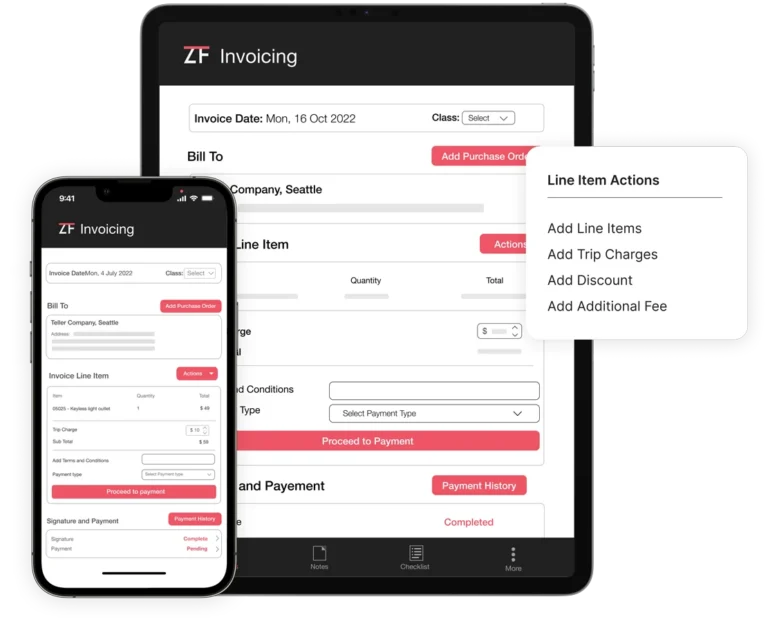
Accelerate the invoicing process with the Quotes Approval System, which allows customers to approve service quotes quickly and easily via email. Enhance technician productivity and streamline the invoicing process with secure tracking mechanisms that avoid loss of documentation.
Fire Inspections made easy
Accelerate the invoicing process with the Quotes Approval System, which allows customers to approve service quotes quickly and easily via email. Enhance technician productivity and streamline the invoicing process with secure tracking mechanisms that avoid loss of documentation.
Scheduling Keyword
Scheduling & Notifications
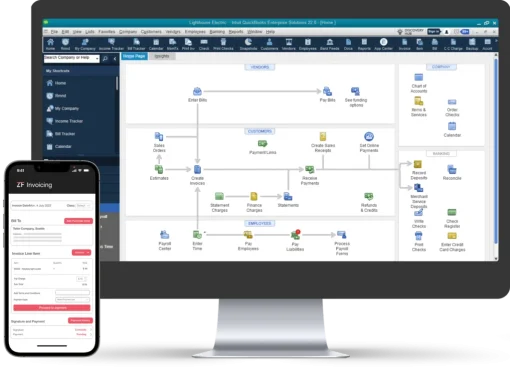
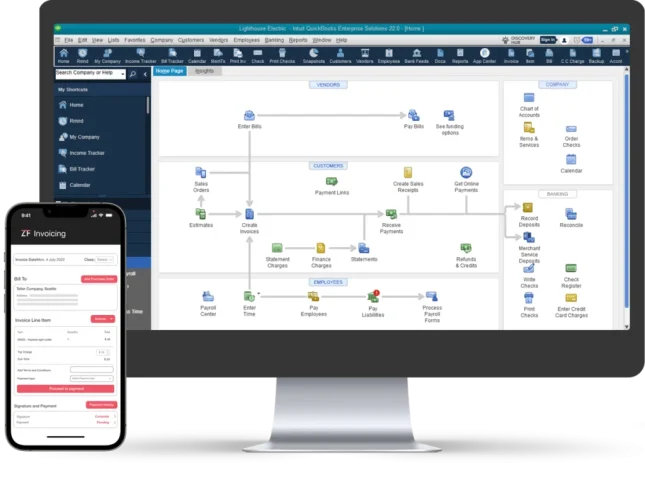
Create invoices from your estimates, then email the buyer a payment link. With our specialized equipment connections, you can increase invoice accuracy and prevent calculating mistakes. Increase convenience and dependability for clients by streamlining the pricing process using flat rates.
Inspections Keyword
Fire Inspections made easy
Accelerate the invoicing process with the Quotes Approval System, which allows customers to approve service quotes quickly and easily via email. Enhance technician productivity and streamline the invoicing process with secure tracking mechanisms that avoid loss of documentation.
Scheduling Keyword
Scheduling & Notifications
Create invoices from your estimates, then email the buyer a payment link. With our specialized equipment connections, you can increase invoice accuracy and prevent calculating mistakes. Increase convenience and dependability for clients by streamlining the pricing process using flat rates.
Inspections Keyword
Fire Inspections made easy
Accelerate the invoicing process with the Quotes Approval System, which allows customers to approve service quotes quickly and easily via email. Enhance technician productivity and streamline the invoicing process with secure tracking mechanisms that avoid loss of documentation.
Scheduling Keyword
Scheduling & Notifications
Create invoices from your estimates, then email the buyer a payment link. With our specialized equipment connections, you can increase invoice accuracy and prevent calculating mistakes. Increase convenience and dependability for clients by streamlining the pricing process using flat rates.
Time Saving
ZenFire users generate professional reports and proposals 50% faster, freeing up valuable time for strategic tasks with automated reporting tools.
More Revenue
Go paperless, automate repetitive tasks, and reduce administrative costs by 25%. ZenFire lets you focus on strategic growth initiatives and increase productivity by 20%.
Accurate Inspection
ZenFire’s digital inspection forms and reports provide actionable data, resulting in a 20% boost in decision-making accuracy and empowering technicians for a 15% increase in operational efficiency.
Customer Retention
Elevate customer satisfaction and boost revenue with expertly crafted deficiency reports, ensuring an unparalleled customer experience and fostering long-term retention.

NFPA forms and Checklists
Smarter and Faster Inspection
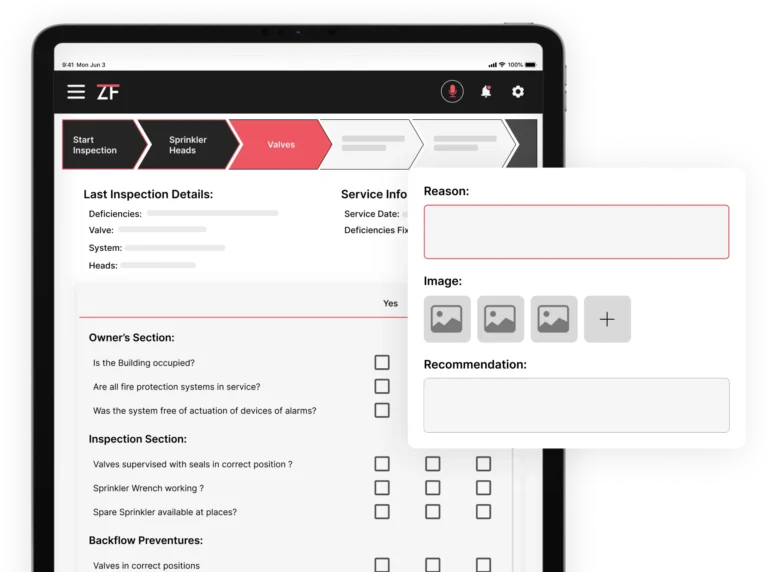
Empower your fire inspections with customizable NFPA forms and checklists in ZenFire.
Craft personalized and professional inspection reports for flawless customer satisfaction.
rEPORTS
Deficiency Reports Made Easier and Professional
ZenFire streamlines fire inspections with automated reports, mobile-friendly tools, and CRM integration.
Capture, document, and share inspection details with ease, ensuring compliance and customer satisfaction.
work orders
Inspections to Proposals: In One Click
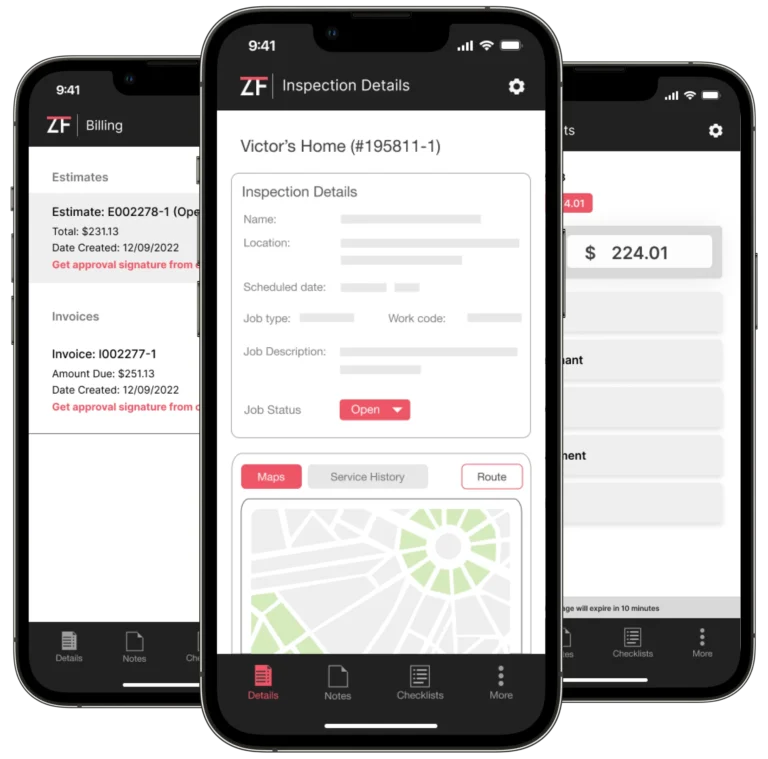
Create a proposal directly based on reports and personalize it with your company name and logo. Convert proposals to estimates directly after customer approval.
INSPECTION sCHEDULING
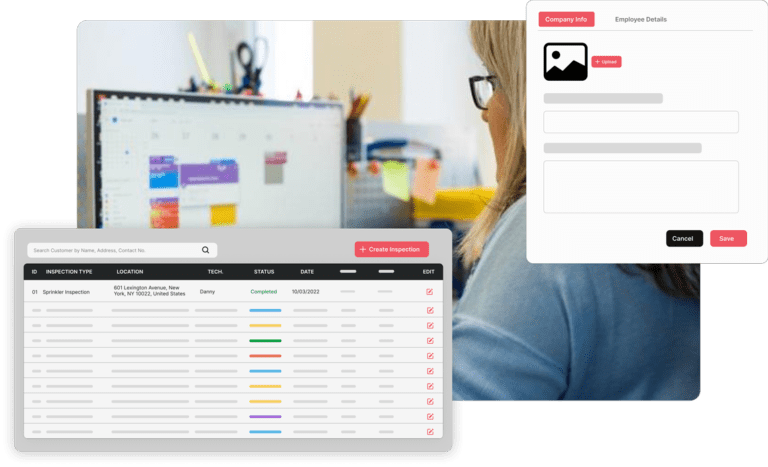
Easy drag and drop-based scheduling
Optimize technician scheduling and deployment with ZenFire’s intuitive interface and real-time dispatch capabilities.
Ensure smooth and efficient inspections by empowering technicians with access to customer and inspection information on mobile apps.