ZenTrades

Labor Day early access is open — limited seats for trade contractors.
ZENTRADES logo with a pink accent bar over the E.

ZenTrades vs Service Trade

ZenTrades vs ServiceTrade: Two Solid Platforms, Different Strengths. Which One Fits Your Business?

Both ZenTrades and ServiceTrade are built for field service contractors, replacing manual workflows with digital tools. They differ in market focus, pricing, and AI capabilities. This comparison helps you decide which platform best suits your business.

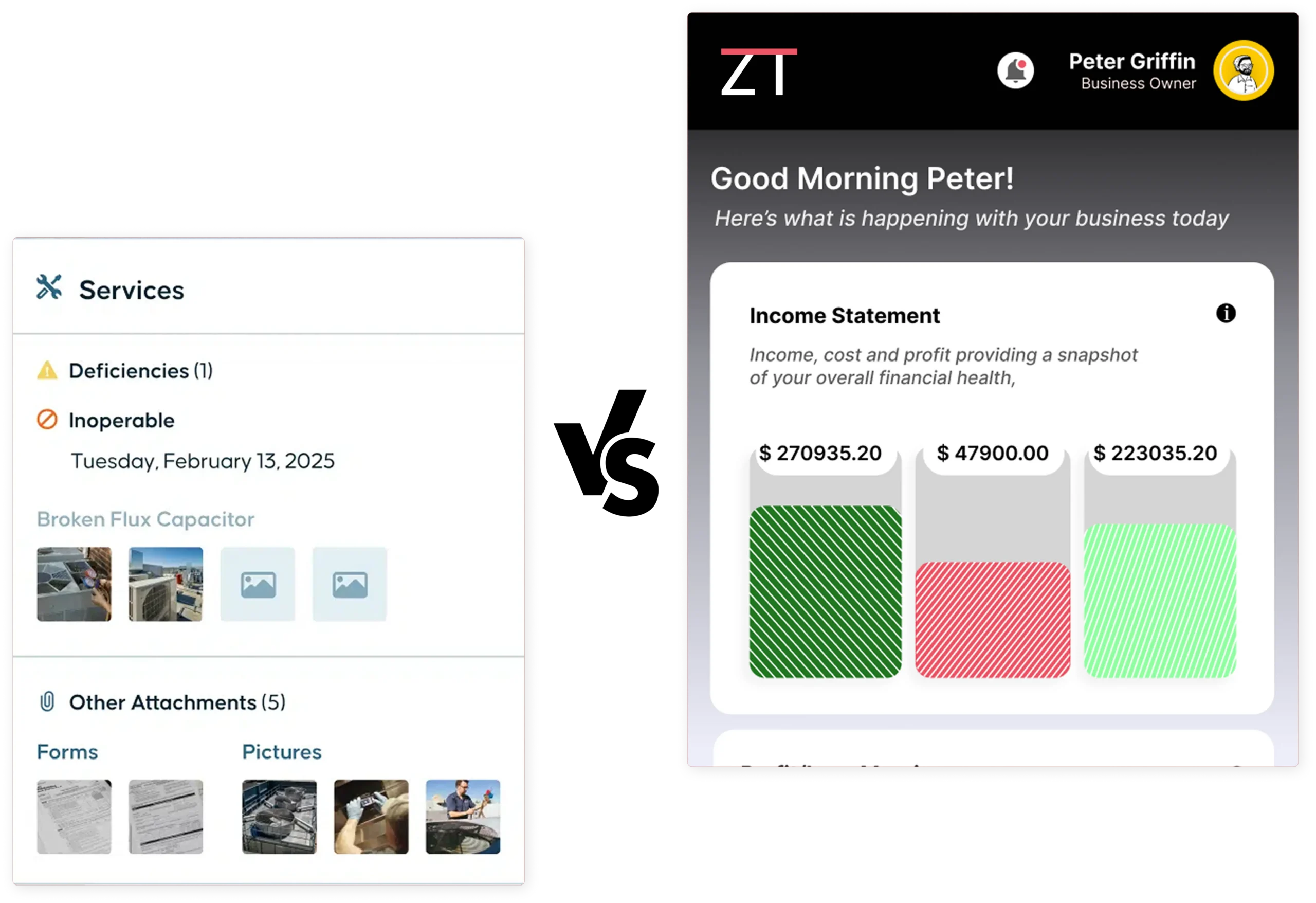
Split view of a mobile app: left panel shows 'Services' with Deficiencies and Inoperable; right panel shows 'Income Statement' with colorful charts.

Why Growing Trade Businesses Choose ZenTrades Over ServiceTrade?

ServiceTrade is a respected platform with a strong track record among commercial contractors, particularly in HVAC and mechanical service. The question is not whether it works. The question is whether it works as well for growing trade businesses across all verticals and team sizes as ZenTrades does. Here is where the differences are most significant.

Red speedometer icon with a dollar coin, representing fast payments.

Built for All Trade Verticals

ServiceTrade focuses primarily on commercial HVAC, mechanical, and fire and life safety contractors. ZenTrades is built across broader trade verticals, including plumbing, electrical, and HVAC, with dedicated vertical products carrying trade-specific workflows, checklists, and pricing structures. For businesses outside ServiceTrade's primary focus, ZenTrades offers a more natural fit without requiring extensive configuration.

Red silhouette of a person lifting a large gear, symbolizing maintenance or settings.

AI-Powered Scheduling

ServiceTrade offers drag-and-drop dispatching, but scheduling decisions still rely on the dispatcher. ZenTrades uses AI to automatically match technicians to jobs based on skill set, location, availability, and priority, building optimized schedules without manual assignment. For growing businesses, this directly reduces the time operations staff spend on scheduling coordination each day.

Admin/user account settings icon: person silhouette inside a gear representing user management and controls.

Transparent Pricing

ServiceTrade does not publish pricing publicly, requiring businesses to contact sales before understanding costs. ZenTrades offers a customizable pricing model that lets teams evaluate costs without first navigating a sales process. For businesses comparing multiple platforms, this transparency saves time and signals what the ongoing vendor relationship is likely to feel like.

Infographic symbol showing growth: a sprouting plant beside ascending bars on a baseline, indicating progress and sustainability.

Full Offline Mode for Every Job Site

ServiceTrade's mobile app requires an active internet connection for core functionality, leaving technicians in basements, mechanical rooms, or low-signal environments without core functionality. ZenTrades operates in full offline mode, allowing technicians to complete jobs, fill forms, log materials, and capture signatures without connectivity. All data syncs automatically once the connection is restored.

User silhouette with a star badge beside a rising bar chart, symbolizing top performer analytics

Dedicated Account Management Across All Plans

ServiceTrade's proactive account management can vary by contract size and tier. ZenTrades provides a dedicated account manager to every customer from day one, regardless of team size, supporting onboarding, training, and ongoing operations. This ensures a consistent single point of contact who understands your business and helps you get more from the platform over time.

ZenTrades vs ServiceTrade: Feature-by-Feature Comparison

A direct look at how both platforms compare across the capabilities that matter most for field service operations.

Document
ZENTRADES VS. SERVICETRADE
FEATURE / CAPABILITY
ZenTrades
ServiceTrade
Scheduling and dispatch
Yes
Yes
Mobile app (iOS and Android)
Yes
Yes
QuickBooks integration
Yes
Yes
Estimates and quotes
Yes
Yes
Custom forms and checklists
Yes
Limited
Invoicing
Yes
Yes
AI-powered scheduling and dispatch
Yes
Yes
Payment processing
Yes
Yes
Customer management (CRM)
Yes
Yes
Hyper-vertical trade-specific workflows
Yes
Partial
Service agreements / recurring jobs
Yes
Yes
Asset and equipment tracking
Yes
Yes
GPS tracking
Yes
Yes
Transparent public pricing
Yes
No
Time tracking
Yes
Yes
Flat-rate pricing catalog
Yes
Limited
Signature capture
Yes
Yes
Reporting and analytics
Yes
Yes
Full offline mode
Yes
No
Dedicated account manager (all plans)
Yes
Varies by tier

Where ServiceTrade Users Most Commonly Report Limitations?

ServiceTrade earns consistently high ratings across review platforms. It has a loyal user base and a track record of improving its products over time. That said, no platform is without friction, and verified user feedback on Capterra, GetApp, and Software Advice identifies a consistent set of areas where businesses encounter limitations as their needs evolve.

Reporting Can Be Difficult to Navigate

Despite a 2024 dashboard update, verified reviewers on Capterra and Software Advice note that ServiceTrade's reporting remains difficult to navigate. Accessing meaningful analytics requires strong familiarity with the platform. For owners needing fast visibility into technician performance, job profitability, and service agreement health, that learning curve can slow decision-making.

Quoting and Approval Gaps in the aOnboarding Complexity Can Create a Slow Start

Multiple verified reviewers on Capterra describe ServiceTrade's onboarding as more complex than expected, particularly around asset setup and recurring services. One reviewer noted multiple failed configuration attempts due to unclear guidance. For businesses with limited IT resources or those switching platforms quickly, this friction can significantly delay time-to-value.

Platform Updates Occasionally Disrupt Live Operations

A verified Capterra reviewer described being helpless at a customer site for an extra half hour due to an unplanned update rollout. Several reviewers across platforms share similar concerns about update scheduling. For field service businesses where technician time directly affects customer experience, unexpected platform interruptions carry a real operational cost.

Limited Customization

Verified Capterra reviewers outside ServiceTrade's core HVAC and mechanical verticals report limited customization for service types, workflows, and documentation. One noted "not many options for customization," while another flagged reduced flexibility for non-US businesses. For trades beyond ServiceTrade's established strengths, these constraints can introduce unnecessary administrative workarounds.

Mobile Experience

Verified GetApp users note functional constraints in ServiceTrade's mobile app. One reviewer noted that the video capture is limited to 10 seconds, which hinders the documentation of complex issues. Another cited the absence of a back-navigation button as a recurring frustration. For technicians managing detailed field jobs, these limitations add up over the course of a workday.

What makes ZenTrade a Better Fit for Trade Businesses?

ServiceTrade handles scheduling and dispatching well, but leaves gaps in AI-powered automation and trade-specific depth. Here's what actually sets ZenTrades apart.

AI Dispatch That Handles the Scheduling Complexity for You

ZenTrades' AI scheduler evaluates technician skills, real-time locations, job priorities, and travel distances to automatically build optimized daily schedules. As team size and job volume grow, the system absorbs added complexity rather than passing it to a dispatcher. For scaling businesses, this means more jobs completed daily without proportional increases in scheduling overhead.

Complete Offline Functionality

ZenTrades provides full offline functionality across all core features, including job management, form completion, parts logging, and signature capture. No features are reduced offline, and no manual sync is required afterward. Everything updates automatically when connectivity returns. For technicians regularly facing connectivity challenges on job sites, this is a consistent day-to-day operational advantage.

Trade-Specific Workflows Preconfigured for Your Vertical

ZenTrades ships with purpose-built vertical products, including forms, checklists, pricing structures, and workflows already configured for specific trades. Technicians open the app and see tools reflecting how their trade actually operates, without configuring a general platform to approximate the right workflow. For businesses wanting productivity from week one, this difference matters significantly.

Estimate to Invoice Without Leaving the Job Site

ZenTrades allows technicians to build estimates from a flat-rate catalog, collect customer approval via e-signature, and convert directly into a paid invoice, all from a mobile device. The entire cycle from scoped work to received payment can be completed before the technician leaves. That speed directly reduces invoice delays and improves cash flow.

Predictable Pricing

ZenTrades makes pricing accessible without requiring a demo or sales conversation first. For owners evaluating multiple platforms simultaneously and wanting to model costs before committing to a demonstration, that transparency shortens the evaluation process and reflects the straightforward working relationship most businesses want with a software vendor from the start.

Dedicated Account Management from Day One

Every ZenTrades customer receives a dedicated account manager assigned before go-live, supporting onboarding, training, and ongoing operations for both office and field staff. You are never handed off to a support queue after implementation. For teams switching platforms, having a named contact who knows your setup can make the difference between a smooth go-live and a prolonged one.

Numbers from teams who switched.

2x

+30%

−68%

<2 wk

Switching from ServiceTrade Is Easier Than You Think

Most businesses complete their transition to ZenTrades in approximately two weeks. Here is how we ensure the move goes smoothly and nothing important is left behind.

Your Data Makes the Move With You

ZenTrades' onboarding team migrates your existing customer records, job history, asset data, pricing catalog, and invoice history before you go live. You are not starting from a blank slate. Everything your business built in ServiceTrade is reviewed, organized, and loaded into ZenTrades before your team logs in for the first time.

Hands-On Training for Every Role

Office administrators and field technicians receive guided, practical training tailored to the way your business operates. The goal is for every person on your team to be confident and productive from day one, without spending their first weeks locating basic features or figuring out how their existing workflow maps to a new interface.

Support Around the Clock

ZenTrades support is available 24/7 through your transition period and beyond. Whether a question arises on your first live morning or an operational issue surfaces during an evening shift months later, someone is available to help you resolve it without waiting for a business-hours support window.

Your Top Questions Answered

Clear answers to the questions trade businesses ask before moving to ZenTrades.

What is the main difference between ZenTrades and ServiceTrade?

Both platforms are purpose-built for field service contractors rather than the broader home service market. The most meaningful differences are in target market, scheduling capabilities, offline functionality, and pricing transparency. ServiceTrade is primarily focused on commercial HVAC, mechanical, and fire and life safety contractors. ZenTrades serves a broader set of skilled trade verticals with dedicated vertical products. ServiceTrade uses a manual dispatch board. ZenTrades includes AI-powered scheduling that automatically optimizes technician assignments. ServiceTrade requires connectivity for full mobile functionality. ZenTrades operates in complete offline mode. And ServiceTrade requires a sales conversation to understand pricing, whereas ZenTrades makes its pricing accessible up front. For businesses where one or more of those factors is a priority, the evaluation decision typically lands there.

Is ServiceTrade a good fit for all trade verticals?

ServiceTrade is most established in commercial HVAC, mechanical, and fire and life safety contracting. Its workflows, asset management tools, and compliance features are well-suited to those sectors. For trade businesses in plumbing, electrical, and other skilled verticals, ServiceTrade can be adapted, but verified users in those contexts report that the platform’s customization options are more limited than in its primary markets. ZenTrades is built with dedicated vertical products for a broader range of trades, which may make it a more natural starting point for businesses outside ServiceTrade’s established core.

Does ServiceTrade work without an internet connection?

ServiceTrade’s mobile app requires an active internet connection for full functionality. In environments where connectivity is unreliable, such as basements, underground mechanical spaces, rural properties, and commercial buildings with poor signal coverage, that dependency can disrupt the field workflow mid-job. ZenTrades provides complete offline functionality for all core features and automatically syncs when a connection is re-established. For trade businesses where technicians regularly work in low-connectivity environments, offline capability is an operational requirement worth verifying before committing to a platform.

How does ZenTrades pricing compare to ServiceTrade's?

ServiceTrade does not publish its pricing publicly. Interested businesses need to contact the sales team for a quote, with pricing based on the number of technicians and the specific modules included. Industry sources suggest pricing is positioned for mid-market and larger commercial contractors, which can make ServiceTrade less accessible to smaller or growing trade businesses that want to evaluate costs before entering a sales process. ZenTrades uses a customizable pricing model with accessible pricing information, so businesses can understand their likely investment without a sales conversation. For teams doing a parallel evaluation of multiple platforms, that transparency can meaningfully accelerate the decision-making process.

Does ZenTrades offer 24/7 customer support?

Yes. ZenTrades provides round-the-clock support with dedicated account managers for all customers, regardless of plan size. Every customer is assigned a named account manager who is involved from onboarding through ongoing operations. ServiceTrade is generally well-regarded for its support responsiveness, and verified users on Capterra and Software Advice describe their support team positively. The meaningful distinction is in proactive account management at every level. ZenTrades makes that available across all plans. For field service businesses where technicians encounter issues outside standard business hours, and a platform change can affect daily job completion, the availability of responsive, account-specific support is a factor to weigh in your evaluation.

Still comparing? See ZenTrades in action.

Most teams are fully onboarded in under two weeks. Book a 15-minute walkthrough and we'll show you exactly what your numbers look like on ZenTrades.