ZenTrades

Black Friday Banner

ZenFire vs Uptick

ZenFire or Uptick? Choose Your Fire Inspection Software

ZenFire automatically converts inspections into quotes and work orders, helping you capture more revenue in half the time it takes in Uptick.

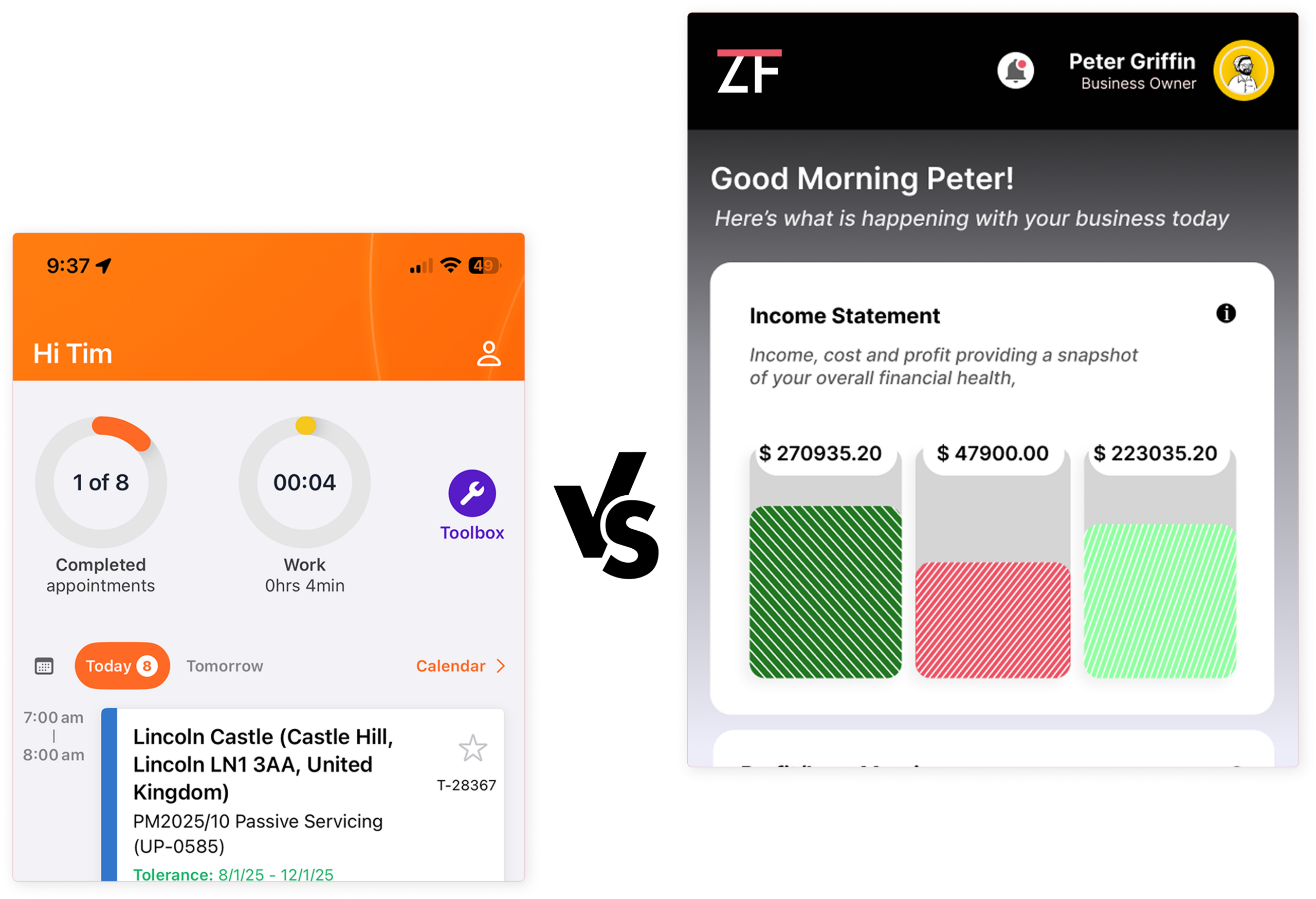
Screenshot of a mobile calendar app greeting Tim with upcoming events and tasks; right side shows a separate business dashboard with an income statement.

Why do growing fire protection companies choose ZenFire over Uptick?

Not all inspection tools are built to help you scale. Here's where ZenFire stands apart — and where Uptick quietly costs you jobs, hours, and revenue.

Red speedometer icon with a dollar coin, representing fast payments.

Faster Revenue Cycles

Inspections transition seamlessly into reports and then into invoices within minutes, not weeks. This eliminates waiting time for your back-office team and ensures your cash flow remains steady and predictable.

Red silhouette of a person lifting a large gear, symbolizing maintenance or settings.

Less Manual Work

By automating your routing, quoting, and follow-up processes, we remove the administrative burden, allowing your team to focus exclusively on high-value, billable work.

Admin/user account settings icon: person silhouette inside a gear representing user management and controls.

Field-Friendly Experience

Give your technicians a mobile tool they actually enjoy using every single day. Our modern interface is built to be intuitive, significantly reducing the risk of human error and ensuring your jobs are completed correctly on the first visit.

Infographic symbol showing growth: a sprouting plant beside ascending bars on a baseline, indicating progress and sustainability.

Built for Growth

Most software is designed just to check a compliance box, but ZenFire is built to act as the engine for your expansion. We provide the infrastructure you need to add more trucks, more sites, and more revenue to your operation.

User silhouette with a star badge beside a rising bar chart, symbolizing top performer analytics

Customer-Ready Reports

Your reports are the primary way your customers perceive the quality of your work. We provide polished, professional deliverables that build instant trust, support your upsell strategy, and ensure your brand stands out as the most reliable option in the market.


Uptick vs ZenFire: Which Fire Inspection Software Is Right for You?

Compare features, pricing, and workflows to see which fire inspection and service management platform best fits your business.

Document
ZENFIRE VS. UPTICK
FEATURE / CAPABILITY
ZENFIRE
UPTICK
INSPECTION FORMS & COMPLIANCE
Pre-Built NFPA Forms (10,13,25,72,80)
Yes
Yes
Customizable Inspection Forms
Yes
Yes
Configurable Checklists
Yes
Yes
AHJ Submission-Ready Reports
Yes
Yes
Compliance Tracking Engine
Yes
Yes
Photo Capture During Inspection
Yes
Yes
SCHEDULING & DISPATCH
AI-Powered Scheduling
Yes
No
Route Optimization
Yes
No
Recurring Inspection Automation
Yes
Yes
Automated Reminders to Clients
Yes
Yes
Drag-and-Drop Scheduler
Yes
Not specified
MOBILE & FIELD OPERATIONS
True Offline Mode
Yes
Yes
iOS Mobile App
Yes
Yes
Real-Time Field Updates
Yes
Yes
Local Data Storage on Device
Yes
Yes
Auto-Sync on Reconnect
Yes
Yes
DEFICIENCY & WORKFLOW MANAGEMENT
Deficiency Tracking
Yes
Yes
Automated Deficiency-to-Proposal
Yes
No
Proposal-to-Work Order Automation
Yes
No
Work Order-to-Invoice Automation
Yes
No
Full Pipeline Without Manual Triggers
Yes
No
Zero Re-Entry Across Pipeline
Yes
No
PROPERTY & RISK MANAGEMENT
Property Risk Assessment
Yes
No
Property Risk Scoring
Yes
No
Asset & Equipment Management
Yes
Yes
Multi-Site Portfolio Management
Yes
Yes
MOBILE & FIELD OPERATIONS
Customer Self-Service Portal
Yes
No
Online Quote Approval via Portal
Yes
No
Client Access to Service History
Yes
No
Client Access to Compliance Reports
Yes
No
Automated Client Notifications
Yes
Yes
BILLING & ACCOUNTING
Invoicing Tools
Yes
Yes
Quoting Tools
Yes
Yes
QuickBooks Integration
Yes
No
No Automatic Price Increases
Yes
No
User-Based Predictable Pricing
Yes
No
Bi-Weekly Feature Releases (Free)
Yes
No
BILLING & ACCOUNTING
24/7 Customer Support
Yes
No
Dedicated Support Team
Yes
Support response
noted as slow
Learning Portal / Training Resources
Yes
Not specified
Live Onboarding Sessions
Yes
Not specified
INSPECTION FORMS & COMPLIANCE
Purpose-Built for Fire Protection
Yes
Yes
Cloud-Based Platform
Yes
Yes
Real-Time Reporting Dashboards
Yes
Yes
Platform Customization
Yes
Not specified
Self-Certification Support
Yes
No
Bi-Weekly New Feature Updates
Yes
No

How Your Platform Drains Fire Protection Company Revenue?

These aren't theoretical gaps. They're the patterns fire protection companies describe in every conversation about switching platforms.

Inspection Reporting Stops at the Report

Uptick generates inspection output. But converting that output into a repair quote, a scheduled job, and a paid invoice requires manual steps outside the platform every single time.

No Automated Deficiency Pipeline

Every deficiency your technician flags has to be manually tracked, quoted, and followed up on. At scale, that process becomes a full-time job, and revenue gets left on the table.

Scheduling Stays Manual

Uptick handles recurring inspection scheduling, but daily route optimization is manual. Dispatching decisions that could be automated are instead consuming your morning.

Clients Have to Call Your Office

Without a full customer portal, property managers who want to check open deficiencies, review proposals, or access service history need to contact your team directly. That phone traffic adds up.

Built for Other Markets First

Uptick launched in Australia and expanded internationally. US fire protection contractors working under NFPA codes may find that setup and configuration require significantly more effort than a platform built for this market.

What makes ZenFire different?

Six design decisions that turn fire protection inspections from a compliance task into your most consistent revenue channel.

End-to-End Workflow in One Platform

Scheduling, inspections, deficiency management, quoting, customer approvals, and billing all live in the same system. No switching tools. No re-entering data.

Automated Deficiency-to-Invoice Pipeline

Flagged deficiency → auto-generated proposal → customer portal approval → work order → invoice. The entire revenue cycle runs without a single manual trigger.

AI-Powered Route Scheduling

ZenFire's AI scheduler automatically builds optimized daily routes based on job locations, technician availability, and inspection priorities every morning.

True Offline Mobile Access

Technicians complete inspections in basements, mechanical rooms, and rural sites without connectivity. All data syncs automatically when the signal returns.

Full Customer Portal

Every client gets a dedicated portal to view compliance reports, approve proposals, track jobs, and access service history without calling your office.

Property Risk Scoring

Assign compliance risk values to each account. ZenFire aggregates them into portfolio-level risk scores that change how you manage renewals and prioritize resources.

Numbers from teams who switched.

2x

+30%

−68%

<2 wk

Switching from Uptick? We've made it simple.

Most fire protection teams are fully operational on ZenFire within 2 weeks. Here's how the transition works.

Data Migration

Your existing customer records, inspection history, and account data are migrated to ZenFire before you go live. No starting from scratch. No manual re-entry.

Guided Onboarding

Live onboarding sessions for both your office team and field technicians walk through every workflow specific to your business.

24/7 Support Throughout

ZenFire's support team is available seven days a week at all hours during the transition and beyond. You are never figuring it out alone.

Switching to ZenFire? Your Top Questions Answered

Clear answers to the questions teams ask before moving to ZenTrades.

Is Uptick built for US fire protection contractors?

Uptick originated in Australia and has expanded internationally, but it was designed primarily for the fire and security sector in markets outside the US. Fire protection companies in the US that operate under NFPA codes and work with AHJs may find that ZenFire’s pre-built NFPA forms and US-specific workflows require significantly less configuration to be operational from day one.

Can I use Uptick for the full inspection-to-invoice workflow?

Uptick covers inspection scheduling and reporting. Turning inspection findings into repair quotes, tracking customer approvals, and managing the billing cycle typically involves manual steps or additional tools. ZenFire handles the entire chain from deficiency capture through to paid invoice inside one platform.

Does ZenFire support recurring inspections for commercial accounts?
Yes. ZenFire automates the full recurring inspection lifecycle. You configure the schedule once. The system sends client notifications, assigns jobs to technicians, and generates reports automatically at each cycle. For fire protection businesses managing dozens or hundreds of recurring commercial accounts, this automation is often the single biggest operational improvement after switching.
How does ZenFire handle inspections in areas with no cell signal?
ZenFire’s mobile app works completely offline. Inspection data is stored locally on the technician’s device and syncs automatically the moment a connection is restored, whether that’s Wi-Fi, LTE, or 5G. Technicians working in basements, mechanical rooms, or rural commercial sites do not lose any data regardless of connectivity.
Which platform is better for a growing fire protection company?

ZenFire is built to scale. The AI scheduler, automated deficiency pipeline, customer portal, and recurring inspection automation are designed specifically for companies that are growing their inspection volume and want to do it without proportionally growing their office staff. Uptick is better suited for teams whose primary need is inspection reporting, with simpler requirements around quoting and billing.

Still comparing? See ZenFire in action.

Most teams are fully onboarded in under two weeks. Book a 15-minute walkthrough and we'll show you exactly what your numbers look like on ZenFire.