



Fire Inspection Mobile App for Field Inspectors:
What to Look For
In 2025, fire inspections are no longer paper-and-clipboard jobs. The work has moved into the field, and the field has gone mobile. If your team is still juggling paper forms, unreliable Excel sheets, or outdated tools that can’t operate without an internet connection, you’re losing time, missing revenue, and risking compliance issues you can’t afford.
ZenFire
A mobile-first fire inspection app keeps your team compliant, efficient, and profitable — even offline, in the field, and on the go.
Free Fire Inspection Invoice Template!
Save time on inspections with invoice templates that document fire risks and solutions quickly.
Download Template
Get the template
The shift to a mobile-first inspection experience is no longer a “nice to have.” It’s mission-critical. And not all apps are created equal. If you’re evaluating a fire inspection mobile app for your team — whether you’re running a lean crew of fire inspectors or managing a multi-region fire department — you need more than just an app that “works.”
You need one that works smart — offline and on-site, with real-time sync, rock-solid inspection reports, and the kind of fire inspection software that doesn’t just digitize your job, but actually improves how you run your operations, manage your data, and grow your business.
That’s exactly where Zenfire stands apart.
But before we get into that, let’s break down what you should really be looking for in a modern mobile solution.
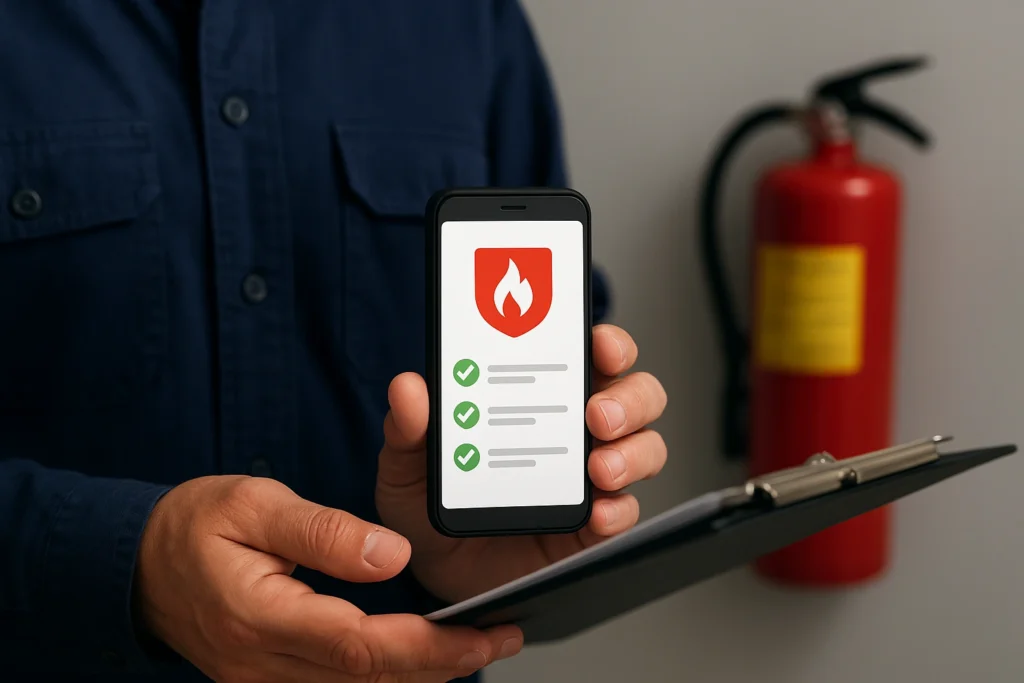
Field Teams Work Differently. Your App Should Too.
Fire inspectors aren’t sitting at desks. They’re moving between buildings, jobsites, emergency calls, and rechecks. They’re capturing data, reviewing inspection reports, checking pre plans, marking hydrant locations, and ensuring fire safety standards are met — often without reliable signal.
If your fire inspection app goes dark the second your mobile device hits a dead zone, it’s not designed for the real world.
Offline-first functionality is essential. A real mobile tool should work without an internet connection, automatically sync once reconnected, and protect accurate data collection even in remote or underground environments. Your team needs powerful tools that don’t stop working when LTE does.
That’s why Zenfire’s fire inspection mobile app is engineered to support full inspection workflows — even completely offline. Your inspectors can collect forms, take photo documentation, add notes, and generate reports — no signal required.
Then, the magic happens: auto-sync ensures your inspection data is safely backed up to the cloud, shared with your office, and ready for clients. It’s seamless, instant, and saves hours of manual handoff or double entry.
The Features That Actually Matter in the Field
There’s a big difference between marketing features and powerful features that make your job easier every single day.
You don’t need an app full of bells and whistles that no one uses. You need tools that do their job. Fast. Accurately. Without friction.
Here are the key features that matter most in a fire inspection mobile app:
Offline mode with automatic sync to cloud storage
Digital forms that eliminate paper checklists and paper forms
In-app photo documentation and note-taking
Barcode or QR code scanning to identify equipment
Full access to pre plans, inspection history, and safety inspection templates
Auto-generated inspection reports for clients or compliance agencies
Real-time team collaboration
Custom pricing tools and billing triggers
Instant access to fire safety standards and code enforcement guidelines
Want to see how Zenfire handles all of that in one intuitive, cost-effective platform?
👉 [Book a demo now — and see how Zenfire gives your team real-time field power with zero hassle.]
🛠️ ZenFire gives inspectors everything they need on one screen, even offline.
See how it works!
Accuracy Isn’t Optional — It’s the Backbone of Compliance
Every missed checkbox or incomplete form creates risk. Inaccurate or incomplete inspection data can result in failed audits, angry clients, lost contracts, or even legal consequences. And when you’re dealing with fire safety, every detail counts.
A great inspection software platform doesn’t just digitize your work — it makes it more precise. From auto-fill digital forms to smart suggestions for fire safety violations based on your region’s fire safety standards, Zenfire helps your team capture accurate data, every time.
Need to generate a compliant report on the spot? Zenfire’s inspection software lets you pull historical reports, compare findings, and deliver professional-grade output — in the field, in minutes. Your clients and AHJs don’t wait. Now, you don’t have to either.
This isn’t just about automation. It’s about control. Streamline automation systems only matter if they give you better visibility and oversight.
Zenfire does both.
Real-Time Access for Office, Field & Clients
One of the biggest operational headaches for fire inspection companies is broken handoff between the field and the office. The inspectors are out in the field. The admin staff is back at HQ. The client is calling. And no one knows what’s been done, what’s pending, or where the reports are.
That’s a workflow failure. And it costs you.
With Zenfire, your entire team — field, office, and client-facing — can see real-time access to job status, inspection reports, submitted forms, and next steps. The platform automatically updates as work gets done, with instant visibility.
Now, you don’t just complete more inspections. You complete them faster. Cleaner. More professionally.
Need to schedule fire inspections for next week? Pull up the schedule, assign a job, send pre plans, and notify the fire inspectors — all in seconds. The entire system works like an extension of your business, not another tool you need to babysit.
👉 See how Zenfire replaces 5+ manual tools with one intuitive platform — [schedule your walkthrough here.]
Free Fire Inspection Estimate Template!
Save time on inspections with estimate templates that document fire risks and solutions quickly.
Download Template
Get the templateBuilt for Fire Professionals, Not Just Software People
A lot of tools are built for generic inspections. That’s not enough when you’re working in fire safety.
Zenfire was built specifically for fire professionals — not general contractors or safety consultants. That means our workflows are designed around real-world fire inspections, code enforcement, fire safety inspection, and NFPA compliance.
Need to track hydrant locations, inspect fire alarms, or assess sprinkler readiness?
Need to prep for a National Fire Protection Association audit or upload a full safety inspection trail for your client’s insurance claim?
You’re covered.
ZenFire supports inspectors with a handy mobile app, dynamic job templates, and a full backend that’s designed to support field-heavy operations. From first responders to fire departments, it’s built with the right level of depth, flexibility, and speed.
And yes — you can ditch the paper forms, the copy-paste from PDF reports, the endless back-and-forth with your team.
Inspections That Actually Fuel Business Growth
Here’s what most people miss: fire inspection software isn’t just about compliance.
It’s a revenue engine. Or at least, it should be.
Every missed deficiency is missed revenue. Every delayed report is a delayed invoice. Every manual form that isn’t processed today is cash that doesn’t come in until next week — or never at all.
Zenfire helps you:
Spot hidden opportunities
Capture deficiencies and upsells with one tap
Automate billing triggers based on inspection reports
Track which customers are overdue, pending, or ready for add-ons
Identify gaps where you could be servicing more assets or sites
It turns your fire inspection app into a business tool — not just a form filler.
👉 Want to know if you’re missing revenue from your inspections? [Use our free ROI estimator — no signup needed.]
Built for Mobile. Not Ported. Not Clunky.
Here’s the truth: most fire inspection software started as a desktop app. Then they slapped on a mobile version. That leads to clunky UIs, slow syncs, and endless bugs.
Zenfire was built mobile-first. It’s built for mobile devices, designed for inspectors on the go, and engineered to work offline, sync automatically, and let you manage your entire system from your device — not your office.
You don’t need training. You don’t need IT support. You just need to log in and go.
Our intuitive platform is built so any crew can start using it in minutes — whether they’re seasoned fire inspectors, new hires, or contract support. It just works.
Don’t fall for shiny dashboards. When evaluating the best fire inspection software, focus on these key features:
Inspection forms that match your process—not someone else’s
Instant inspection report generation, with location-tagged photos
Ability to easily track deficiencies across teams and sites
Secure backups and export-friendly inspection data handling
Compatibility with mobile devices and multiple operating systems
Built-in ability to schedule inspections without calendar juggling
This is about reducing risk, ensuring clarity, and enabling scale. Not about fluff.
Choose fire inspection software that actually reduces risk and scales with you
See the difference today!
Why Smart Companies Are Switching to Zenfire
Let’s be blunt: If you’re still managing fire inspections through a patchwork of PDF checklists, shared drives, and one-size-fits-none software, you’re behind.
Companies that switch to Zenfire:
Cut inspection time by 60%
Save 20+ hours a week per team
Recover 3x the tool’s cost in under 30 days
Spot revenue leaks in their inspection reports they didn’t know existed
Reduce administrative tasks and manual follow-ups
Automatically ensure compliance with industry fire safety standards
Zenfire isn’t just inspection software. It’s a complete automation system that supports your business needs, captures missed revenue, and keeps your entire team — office to field — in sync.
👉 [Book a demo now. You’ll see in 15 minutes what it would take weeks to find in your current system.]
Final Word: Don't Just Go Mobile. Go Smart.
It’s tempting to treat your fire inspection app like just another checkbox — another license, another tool.
But the right mobile platform transforms everything. It gives you control over your data, your team, your compliance posture, and your bottom line.
And in 2025, the only way to stay compliant, profitable, and ahead of your competitors is to go mobile the right way.
With Zenfire, you don’t just digitize. You dominate.
👉 Ready to see how Zenfire works in your business? [Book your personalized demo today.]
Free Fire Inspection Work Order Template!
Save time on inspections with work order templates that document fire risks and solutions quickly.
Download Template
Get the template